Discover a smoother driving experience with the best free radar detection apps available. In this article, we'll explore five notable apps – Waze, Radarbot, CamSam, Speed Camera Radar, and TomTom AmiGO – that not only keep you informed about radars, but they also enhance your experience on the road.
Free apps to detect speed cameras
Waze
Experience revolutionary social navigation with Waze. This app not only alerts you to speed cameras but also provides real-time updates powered by the community of drivers. Discover faster routes and avoid traffic tickets. Waze stands out for offering a unique experience to drivers by allowing them to share real-time information. By alerting you to speed cameras, the app not only promotes safety but also helps avoid unnecessary delays. The community of drivers plays a crucial role in making navigation smarter and more efficient.
Radarbot
Radarbot stands out for its real-time accuracy in detecting speed cameras. With a user-friendly interface, it offers both audible and visual alerts, ensuring that you are always aware of the speed cameras around you. This app is designed to provide a reliable and efficient experience in detecting speed cameras while driving. Real-time accuracy is a key feature of Radarbot, allowing users to receive immediate alerts, essential for maintaining compliance with speed limits and avoiding fines.
CamSam
CamSam offers accurate, real-time speed camera alerts, providing an effective way to avoid unnecessary fines. Its simple and intuitive interface makes the user experience exceptionally user-friendly. When you choose CamSam, you are opting for a reliable companion on the road. Its speed camera alert system is designed to provide you with accurate information about the presence of speed cameras, allowing you to adjust your speed in time. Real-time accuracy is crucial to maintaining compliance with speed limits and ensuring safe driving.
Speed Camera Radar
Speed Camera Radar is an app that excels at combining speed camera information with speed data, ensuring that you not only avoid fines but also maintain a safe and efficient driving experience. By choosing Speed Camera Radar, you are investing in a tool that goes beyond simply detecting speed cameras. This app offers a holistic approach, providing crucial information about the speed limits of the area you are driving in. This not only helps you avoid fines but also contributes to safer driving and compliance with traffic rules.
TomTom AmiGO
With TomTom AmiGO, speed camera detection is just one part of the experience. Enjoy personalized navigation, real-time traffic updates and information about points of interest, making your journeys smoother and more enjoyable. When you choose TomTom AmiGO, you are opting for a comprehensive approach to navigation. In addition to effective speed camera detection, the app offers features that enrich your journey. Personalized navigation allows you to choose routes that suit your preferences, making every journey unique.
Conclusion
In short, Waze, Radarbot, CamSam, Speed Camera Radar and TomTom AmiGO apps offer effective and reliable solutions for detecting speed cameras, ensuring safer and ticket-free travel. Try these tools and enjoy a more informed and efficient drive.
Where does the alert come from: it's not a detection, it's a database error.
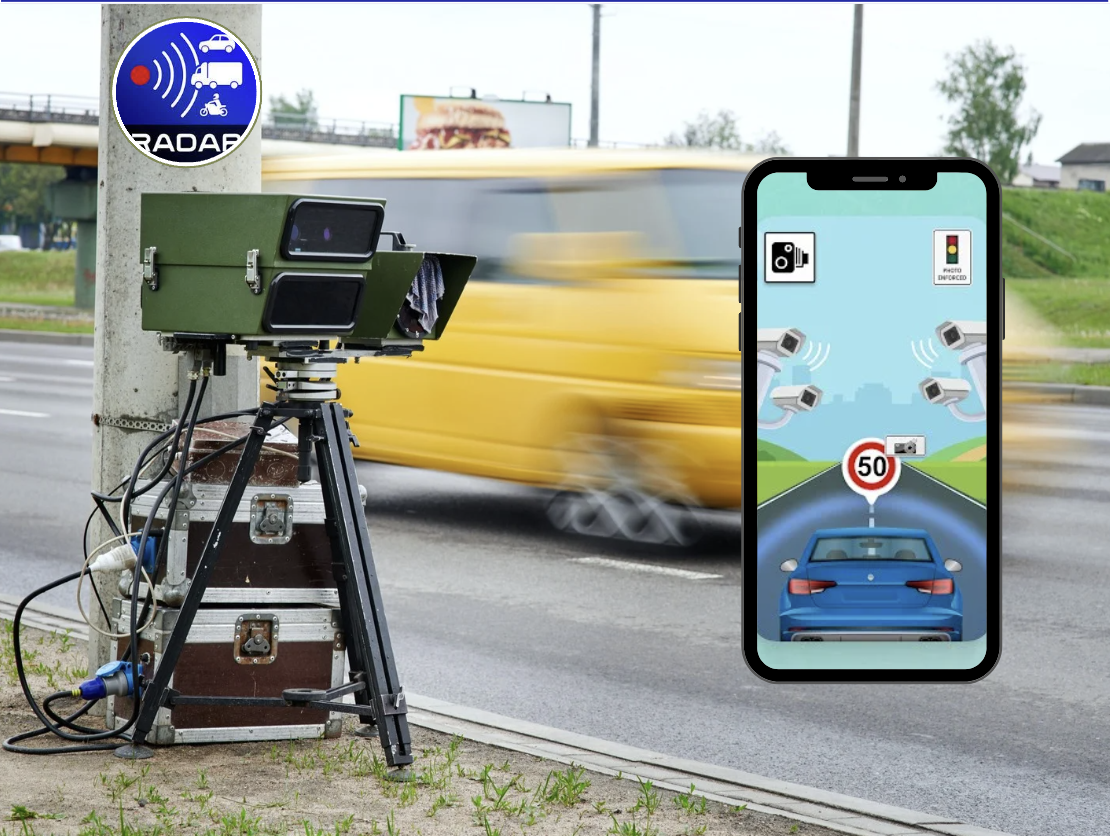
This is the point that changes everything and is almost never explained. The cell phone. radar not detected. It doesn't pick up waves, doesn't identify emissions from any equipment, and doesn't see speed bumps. What the app does is cross-reference two simple pieces of information: your position, obtained by GPS, and a list of radar coordinates stored in a database.
When you get within a few meters of a registered coordinate, the app triggers an alert. If the coordinate isn't on the list, there's no alert. If the radar was installed yesterday and nobody registered it, you pass by without knowing. That's why the quality of this type of app depends entirely on one thing: How up-to-date is the database? And how many people contribute to it.
There are two sources for this database. One is the collaborative registry, fed by the drivers themselves who confirm or deny points. The other is the official data from traffic authorities, which is not always published in open format and is not always updated at the same rate as the equipment changes location.
The difference between the speedometer on the dashboard and the one on the GPS.
These types of apps show the speed calculated by GPS, comparing your position at each instant. This number is almost always... smaller than the one on the car's dashboard, and the difference is not a defect.
The factory speedometer is adjusted to never indicate less than the actual speed — the technical rule allows it to show more, never less. In practice, it's common to see a difference of a few percent between the needle and the value calculated by satellite. Changing tires to a different profile than the original also alters this reading because it changes the wheel's circumference.
But GPS has its problems. In tunnels, between tall buildings, on steep mountain roads, and in garages, the signal degrades and the calculated speed fluctuates or disappears. None of this is a reason to drive while looking at the screen. The reference value for issuing a fine is that of the monitoring equipment., Not the one on your cell phone or the one on your dashboard.
What this type of app doesn't do
- Does not detect mobile radar. It's currently being assembled because there's no fixed location registered for it.
- It doesn't block, scramble, or interfere. In surveillance equipment — that would be illegal, and the cell phone doesn't have the hardware for that.
- He doesn't know the limits of all the routes.The license plate is more important than the number on the screen, and roadworks and temporary sections change the maximum speed without warning in the app.
- The fine cannot be cancelled. Nor does it serve as proof that you were within the limit.
- It doesn't work well without a stable GPS., And a delayed alert due to a bad signal is worse than no alert at all.
It's also important to be clear about the purpose. The healthy use of this feature is to drive attentively to the speed limit at all times, not speeding between one speed camera and another. A speed camera covers a specific point; the entire road has pedestrians, cyclists, and curves.
Installation and initial setup in the correct order.
- 1. Install from the official store and check the developer before opening.
- 2. Grant location only during use from the app, and not "all the time," unless you use background alerts.
- 3. Download the radar database and maps for your region while still using Wi-Fi, so you don't have to rely on a signal on the road.
- 4. Choose the type of alert: sound, voice, or vibration. Sound alerts work better than looking at the screen.
- 5. Adjust the warning distance to allow sufficient time to react without having to brake suddenly.
- 6. Secure your phone in a holder at eye level and plug in the charger, because active GPS with the screen on drains the battery quickly.
- 7. Disable battery optimization for this app only, if the system is closing the alert in the background.
Common mistakes and what your phone can already do automatically.
The most frequent mistake is blindly trusting the system and treating the absence of alerts as a guarantee that there is no surveillance there. The second is using the phone while driving: according to the Brazilian Traffic Code, handling a cell phone while driving is a very serious offense, so all the settings need to be ready before leaving. The third is leaving the device in the sun, on the windshield, until it overheats and shuts down on its own.
Regarding what comes pre-installed: the most commonly used navigation apps on Android and iPhone show the speed limit and current speed, and some display radar warnings where local data allows. Android Auto and CarPlay bring this navigation to the car's screen with voice control, solving the problem of using the device while driving.
O aplicativo funciona sem internet?
The alert itself works, provided the database and map of the region have been downloaded beforehand. Without a connection, you lose updates on new points and real-time collaborative alerts.
Gasta muitos dados?
Data consumption is low, generally in the range of a few tens of megabytes per month under typical use. The biggest drawback is the battery, due to the GPS and the screen being on.
É legal usar aviso de radar no Brasil?
Reporting the location of speed enforcement equipment using public and collaborative data is common practice in navigation apps. What is prohibited is any device that interferes with the operation of the radar.
Por que o alerta às vezes toca em lugar sem radar?
Because the base has an outdated location, the equipment has been removed, or the coordinates are inaccurate. Marking it as nonexistent, when the app allows, helps correct the base for everyone.