Running out of internet at the wrong time is a real hassle — and paying for expensive data packages isn't always an option. The good news is that you can connect for free in far more places than you might imagine. In this complete guide, you'll learn how. Find free Wi-Fi Near you, discover the best apps to find open networks and, most importantly, do it safely.
Updated for 2026, this article shows you where to find free Wi-Fi, which apps actually work, a step-by-step guide to connecting, and essential precautions to protect your data on public networks. Let's go.
Where to find free Wi-Fi near you.
Before installing any app, be aware that many places offer free public internet access. Keep an eye out for these locations:
- Shopping malls and department stores: Almost all of them offer free Wi-Fi to customers.
- Cafeterias, snack bars and restaurants: Fast-food chains and coffee shops often provide free Wi-Fi, frequently with the password on the counter or receipt.
- Squares, libraries and public buildings: Many cities already offer free Wi-Fi in strategic locations.
- Airports, bus stations and train stations: Great for connecting while you wait.
- Hotels and guesthouses: Even if you're not staying there, the lobby usually has an open signal.
The key is to always look for the establishment's official social media accounts and be wary of strange or duplicate names, which can be traps—we'll talk about that later.
Best apps for finding free Wi-Fi
There are apps specifically designed to map free networks around you, showing their location and, when users share them, even the passwords for public networks. The most reliable ones are:
- WiFi Map: One of the world's largest databases, with millions of Wi-Fi hotspots shared by users. It shows a map with nearby networks and even works offline if you download the map of your region beforehand.
- Instabridge: Free and very popular in Brazil, it gathers public networks and automatically connects you to those with the best signal, without needing to enter a password.
- Wiman: In addition to finding open networks, it indicates the connection quality of each point so you can choose the fastest one.
- Wi-Fi map from your own mobile phone: Both Android and iPhone already show available networks in the settings; combine this with the apps above so you don't miss any options.
Golden tip: always prefer well-known and highly rated apps in the store. Apps that promise to "crack" private network passwords don't actually work and may even contain viruses. If you need a connection without relying on Wi-Fi, it's also worth checking out... satellite internet applications.
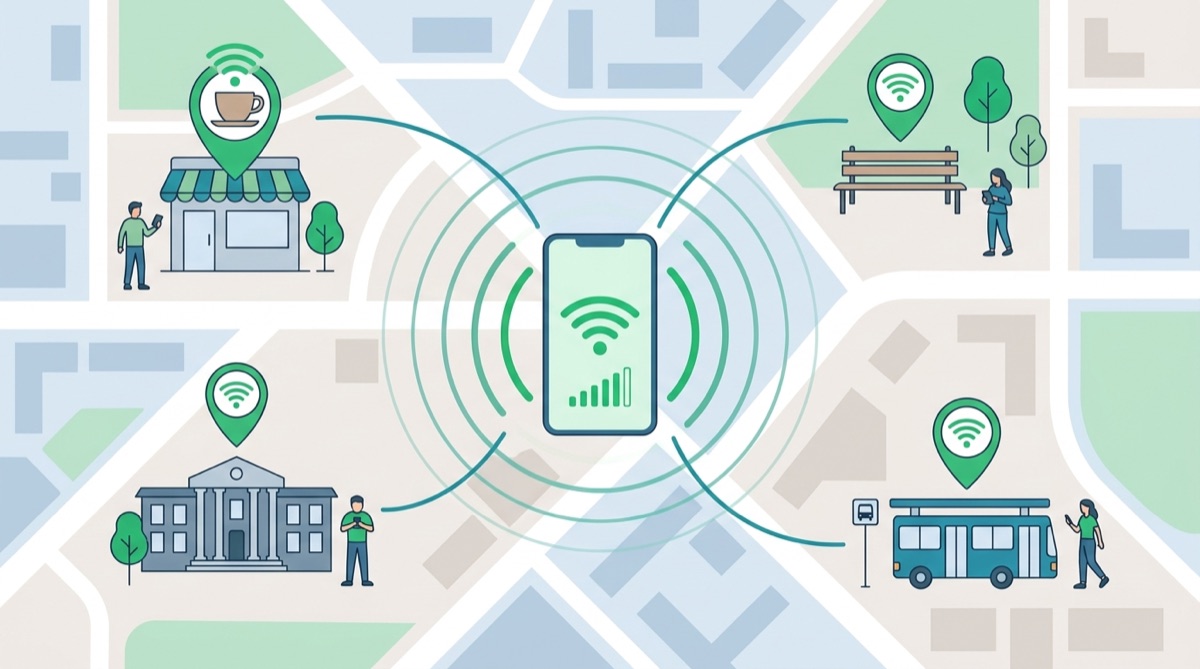
How do free Wi-Fi apps work?
You might be wondering: how do these apps know where there's free Wi-Fi? The answer lies in the strength of the community. Most work through collaboration — the so-called crowdsourcing. When a user connects to a public network or voluntarily shares a location's password, that information goes into a collective database. The more people use the application, the more complete and up-to-date the network map becomes.
In practice, this means that in large cities and tourist areas you'll find hundreds of cataloged networks, many with ratings on the speed and stability of each connection. Some apps even use your real-time location to suggest the nearest connection and connect you automatically, without you having to search for anything. That's why downloading a map of the area before a trip makes such a difference: you arrive at your destination already knowing exactly where to connect.
How to use free Wi-Fi apps step by step.
Using these apps is simple, even for those who aren't tech-savvy. Here's a step-by-step guide:
- Download the app from the official store (Google Play or App Store);
- Allow access to your location so it can show you nearby networks;
- Open the map and see the free Wi-Fi hotspots around you;
- Tap on the desired network and follow the instructions to connect;
- If you are traveling, download a map of the region in advance so you can use it offline.
In just a few taps, you'll be browsing for free, saving your data plan for when you really need it.
Advantages and disadvantages of using free Wi-Fi
Before connecting to everything, it's worth understanding both sides of the coin. That way you can make the most of free Wi-Fi without surprises.
- In favor: Real savings on mobile data plans;
- In favor: Faster speeds for downloading large files, movies, and updates;
- In favor: Available in more and more public places, which is great for tourists and for those who are running out of cash on their plan at the end of the month;
- Against: It offers less security than a private network, requiring more attention;
- Against: The signal and speed can vary considerably depending on the location and the number of people connected;
- Against: Some networks require registration or have limited usage time.
Ultimately, the benefits outweigh the risks — provided you follow the safety precautions we'll discuss now.
Is free Wi-Fi safe? Essential precautions
Public networks are convenient, but require attention. Since anyone can be connected to them, a scammer could try to intercept your data. Follow these recommendations for safe browsing:
- Use a VPN: This is the most important protection. A VPN encrypts your entire connection, making your data unreadable to curious parties on the same network.
- Avoid sensitive data: Do not access your bank account or make purchases with your card on public Wi-Fi without a VPN.
- Check the padlock (HTTPS): Only enter data on websites that display the security padlock in the address bar.
- Disable automatic connection: This way, the phone won't automatically connect to unknown networks.
- Be wary of duplicate networks: Scammers create networks with names similar to those of real stores to steal information.
With these simple precautions, you can enjoy free Wi-Fi without putting your information at risk.
Is it worth using a free or paid VPN on public Wi-Fi?
We've already seen that VPNs are the number one protection on public networks, but the question arises: should you use a free or paid VPN? Understand the difference to make an informed choice.
Free VPNs fulfill the basics and are suitable for simple and occasional browsing. However, many limit speed, data volume, and the number of available servers. Some even sustain themselves by displaying ads or collecting user information, which goes against the very purpose of protecting your privacy.
Paid VPNs, on the other hand, usually offer more robust encryption, unlimited speed, servers worldwide, and a clear policy of not keeping logs of your browsing. For those who frequently use public Wi-Fi or access sensitive data, the investment is worthwhile. The golden rule is always to choose recognized and well-rated brands in the store—whether in the free or paid version.
How to save mobile data using free Wi-Fi
Taking advantage of free networks is the best way to make your data plan last the whole month. Configure your phone to only perform the most demanding tasks when you're on Wi-Fi:
- Schedule app updates to only happen over Wi-Fi;
- Download movies, TV shows, and music to watch and listen to offline;
- Back up your photos to the cloud only when you are connected to the internet;
- Enable data saving mode for background apps.
If your home internet connection is also slow, check out our tips to fix it. Internet everywhere: what really works and enjoy it even more.
Free Wi-Fi or mobile data: when to use each?
Free Wi-Fi isn't always the best choice. Knowing when to use each type of connection makes your experience faster and, most importantly, safer.
- Use the free Wi-Fi. For heavy, risk-free tasks: watching videos, downloading apps, listening to music, and browsing social media.
- Use mobile data. (the 4G or 5G of your SIM card) to access your bank, make purchases, and enter important passwords, since the operator's network is more secure.
This clever combination ensures the best of both worlds: cost savings with Wi-Fi and security with mobile data during the most critical moments.
Tips to improve your free Wi-Fi signal
Found an open network, but the signal is weak? These tips can help you browse better:
- Move closer to the router: The closer to the signal source, the better the speed;
- Avoid obstacles: Thick walls and many people between you and the router weaken the signal;
- Close background apps: They fight over the band and slow everything down;
- Reconnect: Sometimes forgetting and reconnecting to the network resolves freezing issues.
What to avoid when using public networks
To avoid pitfalls, avoid these common mistakes when using free Wi-Fi:
- Apps that promise to provide passwords for private networks: They don't work and often hide scams or viruses.
- Download files from unknown sources. while on a public network;
- Leave file sharing enabled., This exposes your device to others on the network;
- Ignoring security updates of the system and the browser.
It's important to remember: accessing third-party networks without authorization is illegal. Good applications only work with truly public networks or with passwords voluntarily shared by their owners.
Frequently asked questions about free Wi-Fi
Os aplicativos para encontrar Wi-Fi grátis funcionam mesmo?
Yes. Apps like WiFi Map and Instabridge gather public networks and passwords shared by millions of users, which is very helpful for connecting in cities and while traveling. They don't "crack" passwords for private networks.
É seguro usar Wi-Fi grátis no celular?
It's possible, as long as you take precautions. Ideally, use a VPN, only access websites with the security padlock icon, and avoid sharing banking information while connected to public networks.
Preciso pagar para usar esses aplicativos?
Most of the apps are free. Some offer a paid version with extra features, such as offline use without ads, but the basic function of finding free Wi-Fi is free.
Wi-Fi grátis gasta os meus dados móveis?
No. While you're connected to a Wi-Fi network, you're using the network's data, not your data plan. That's why free Wi-Fi is great for saving money.
Como saber a senha de um Wi-Fi público?
In establishments, the password is usually displayed on the counter, on the menu, or on the receipt—or you can simply ask an employee. Free Wi-Fi apps, on the other hand, show the passwords of networks that other users have voluntarily shared.
Usar Wi-Fi grátis gasta muita bateria?
No. Keeping Wi-Fi on usually consumes less battery than using mobile data with a weak signal. However, disable network scanning when not in use to save even more power.
Bonus tip: Free Wi-Fi while traveling.
If you're traveling, free Wi-Fi can be a great way to save money—especially in another country where mobile data is very expensive. Before you leave, download a map of the network network in your destination city using your chosen app: this way you can access the options even without internet as soon as you arrive. Airports, hotels, cafes, and tourist centers almost always offer free Wi-Fi.
A good practice is to write down in advance the addresses of reliable Wi-Fi networks near where you will be staying. And don't forget: on networks in other countries, a VPN is even more important, both for your security and for accessing the services you already use here in Brazil.
Summary: How to find and use free Wi-Fi safely.
- Look for open networks in shopping malls, cafes, squares and public buildings;
- Install an app like WiFi Map or Instabridge to locate nearby hotspots;
- Download a map of your region in advance, especially before traveling;
- Activate a trusted VPN before browsing on public networks;
- Leave your banking details and shopping to mobile data, which is more secure.
Conclusion
As you've seen, finding free Wi-Fi is easier than it seems: you just need to know where to look, use the right apps, and take some security precautions. This way, you stay connected wherever you are, save on your data plan, and protect your information.
Download one of the apps we recommend, activate a reliable VPN, and enjoy free internet with peace of mind. And if you want to browse without depending on anyone, also check out the options for... Satellite internet: why there's no free version For your mobile phone.